Lightbox with PhotoSwipe
Integration of PhotoSwipe ( for WordPress.
Install in
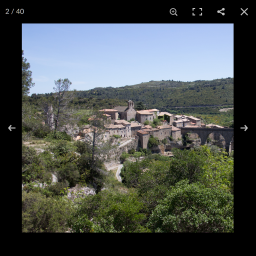
This plugin integrates PhotoSwipe to WordPress. All linked images in a post or page will be displayed using PhotoSwipe, regardless if they are part of a gallery or single images.
More about the original version of PhotoSwipe see here: http://photoswipe.com
You can also display EXIF data from supported image types.
As of version 4.0.0 this plugin requires at least WordPress 5.3 and PHP 7.0. Older PHP version will cause problems. In this case you have to upgrade your PHP version or ask your hoster to do so. Please note that WordPress itself also recommends at least PHP 7.4 – see https://wordpress.org/about/requirements/.
Please keep in mind: not the visible thumbnail is relevant, but only the image link. Images should always be linked to the file and not to the attachment page. Since version 5.6.1 there is an option to fix attachment links which can be enabled if needed – however this may slow down your website since then all links on a page will be checked if they are attachment links.
Written by Joobi from the project's own listing. See the source page
5.25.1
- Updated WordPress compatibility information.
5.25.0
- Fixed incorrect cleanup of static transients for non-default database table prefixes (for example in multisite installations).
5.24.0
- Set custom user agent when requesting remote images to avoid errors when servers expect certain user agents.
- Check remote image URLs if the URL is available at all and if the reported content type indicates an image.
5.23.0
- Enable “drag to close” and “pinch to close” for mobile devices.
5.22.0
- Refactoring of caption sanitizing avoid errors opening PhotoSwipe in case DOMPurify throws an exception.
5.21.0
- Fixed a backend warning caused by the removal of PhotoSwipe 4 and the options for it.
5.20.0
- Transients for metadata of local images are stored with an expiration date again to avoid bloat in the database.
5.19.0
- Properly handle URL-encoded special characters, such as German umlauts, in the file name (thanks to Felix Edelmann).
- Implemented DOMPurify to properly sanitize caption output in the frontend.
- Removed PhotoSwipe 4 since this version is long end of life and not safe to use any longer.
5.18.0
- Fixed vulnerability which allowed frontend code injection using image attributes (thanks to Nguyen Huy Tien for reporting this).
5.17.0
- Add check for missing image size and correct version info.
5.15.0
- Implement persistent transients for metadata of local images.
- Increased expiration timeout for temporary transients (used for external images) from 1 to 7 days.
- Fixed missing size query of external images.
5.14.0
- Use metadata from database, if the local file does not exist due to the use of a CDN.
5.13.0
- Code refactoring to have all assets for PhotoSwipe 4 in one common folder.
- Fix use of captions in
<figcaption>elements to be used only, if they are valid for an image.
5.12.0
- Fixed uninstall handler.
5.11.0
- Updated WordPress compatibility information.
- Added global instance variable for plugin again to address compatibility issues with certain themes.
5.10.1
- Fixed error due to missing function.
5.10.0
- Code refactoring.
5.9.6
- Extended HTML whitelisting for captions to allow links with optional target and style as well.
5.9.3-5.9.5
- Removed HTML tags in translatable strings for the backend settings.
- Updated translation.
5.9.2
- Fixed formatting of EXIF data which broke due to the changes in version 5.9.0.
5.9.1
- Updated translation.
5.9.0
- Increased minimum required WordPress version to 6.5.0.
- Fixed vulnerability which allowed frontend code injection using captions.
- Refactored code to follow current WordPress coding guidelines.
5.8.7
- Fixed issue which prevented uninstalling the plugin in WordPress.
5.8.6
- Fixed warning when all images sizes reported by WordPress are cropped sizes.
5.8.5
- Fixed warning about missing file support in EXIF helper when using webp images.
5.8.4
- Updated WordPress compatibility information.
- Added support for alternative text for lightbox elements in PhotoSwipe 5.
5.8.3
- Added Turkish translation.
- Changed PHP version warning to version 8.2 as minimum preferred version.
5.8.2
- Fixed possible output buffer issues when using PhotoSwipe 5.
5.8.1
- Updated download icon definition to add missing outline strokes.
5.8.0
- Added download button for PhotoSwipe 5.
5.7.4
- Removed autoloader for runtime as this is only needed for the build script.
5.7.3
- Added optional removing “-rotated” from image links in addition to “-scaled”.
5.7.2
- Fixed frontend error which prevented the lightbox from opening.
5.7.1
- Improved hiding scrollbars.
- Workaround to avoid warnings when the EXIF data contains an array for the ISO value instead of a single number.
5.7.0
- Workaround to avoid sudden scrolling when enabling browser history support with PhotoSwipe 5.
5.6.2
- Updated compatibility information for WordPress 6.8.
- Updated PhotoSwipe 5 to version 5.4.4.
5.6.1
- Added an option to replace media links to the attachment page to the media file.
- Fixed possible compatibility issues with WordPress 6.7.
5.5.3
- Refactored handling of SVG images.
- When WP_DEBUG is set to true, transients for image metadata will not be used.
5.5.2
- Added support for AVIF images.
5.5.1
PhotoSwipe 5 integration:
- Fixed some issues with URL navigation when opening an image the link created by the lightbox frontend.
5.5.0
PhotoSwipe 5 integration:
- Implemented URL navigation to support the option “Update browser history” again. Going forward in the browser history after closing the lightbox will also open it again.
5.4.1
- Updated compatibility information for WordPress 6.7.
5.4.0
- Added option to use file name for captions.
5.3.2
- Updated compatibility information for WordPress 6.6.
5.3.1
- Modified f-stop symbol for EXIF display.
- Added optional lens name display for EXIF display.
- Reorganized backend options for EXIF display.
5.2.6
- Additional workarounds to deal with image links and captions in JetPack tiled galleries.
5.2.5
- Fixed handling of image rotation when using original size images using the option.
5.2.4
- Reverted EXIF handling back to native PHP EXIF extension due to performance reasons.
5.2.0
- EXIF data is now supported without the PHP EXIF extension and also for WEBP images and not only JPEG.
5.1.8
- Refactor EXIF helper and fix deprecation warning in PHP 8.3.
- Prepare EXIF support for WebP in future versions (not yet supported by PHP).
5.1.7
- Added option to disable image meta data caching in transients for special cases or debugging.
5.1.6
- Make sure, that displaying SVG images in the lightbox is supported even if WordPress does not report it as allowed file type for upload (for example when not logged in as administrator).
5.1.5
- Fixed handling of tabindex attribute in image links with Bricks image slider: if image links contain a tabindex attribute “-1”, this was not treated as “no tabindex set” and could cause confusing image ordering when using image sliders which use the tabindex attribute to “hide” invisible images from keyboard navigation.
5.1.4
- Updated WordPress compatibility information.
5.1.3
- Additional handling of post content to avoid issues with dynamic page loading.
5.1.2
- Updated handling of EXIF data shutter speed for fractional values with more than 1s.
5.1.1
- Fix output of EXIF data shutter speed: instead of “123/1s” it will now be displayed as “123s” without “/1”.
- Use EXIF field “FocalLength” by default and not “FocalLengthIn35mmFilm”.
5.1.0
PhotoSwipe 5 integration:
- Updated PhtooSwipe to version 5.4.2.
- Added desktop sliding similar to PhotoSwipe 4.
5.0.44
- Fixed a compatibility issue with WPML. Images should now also be recognized as “local” when they are used on a translated version of the website.
5.0.43
- Fixed typo in German translation
5.0.42
PhotoSwipe 5 integration:
- Updated PhotoSwipe 5 to version 5.3.8.
- Mouse wheel is now used for scrolling by default while zooming is done by holding the Ctrl key.
- Zoom levels changed: initial zoom level is ‘fit’, secondary zoom level is ‘fill’ and maximum zoom level is 2.
5.0.41
- Updated WordPress compatibility information.
5.0.40
- Implemented backwards compatibility so PHP 5 won’t break the plugin.
- Added PHP version to the info page including warnings about outdated versions.
5.0.34
- Removed hooks for creating/deleting blogs as they are not needed any longer.
5.0.34
- Fixed a problem using the WordPress API which could lead to issues with qTranslate-XT (thanks to Herr Vigg for the hint).
- Optimized backend code.
5.0.33
PhotoSwipe 5 integration:
- Adjusted style for overlay captions (
.pswp__dynamic-caption--overlay) so they are easier to read on front of bright images.
5.0.32
- Fixed a problem for sites which have a different URLs for site and frontend (thanks to Chris Whitford for the hint).
5.0.31
- Added support for Multiple Domain Mapping on Single Site to process images on mapped domains correctly.
5.0.30
- Added options for maximum image width/height.
5.0.23
- Fixed missing header in backend settings.
5.0.22
- Update translations.
PhotoSwipe 5 integration:
- Added options to change background opacity and image padding.
5.0.21
- Fix image width and height for images with EXIF rotation recorded in the IFD0 group.
5.0.20
- Fixed checks for smaller image sizes if image is in portrait format.
- Added explanation about opening transitions and image sizes in the “Info” tab.
- Making translation easier by adding the translation domain as string and as plugin constant.
- Backend settings with a more readable layout by using a limited maximum text width.
5.0.19
PhotoSwipe 4 integration:
- Fixed a problem when using an URL fragment to open an image.
5.0.18
PhotoSwipe 5 integration:
- Updated “fullscreen” plugin to use the updated UI handler registration.
5.0.17
- Added filters for caption text parts.
PhotoSwipe 5 integration:
- Updated “fullscreen” plugin to support iPad.
5.0.16
PhotoSwipe 5 integration:
- Added translations for UI tooltip labels.
- Updated plugins for “auto hide UI” and “fullscreen” to fix potential bugs and add translations.
5.0.15
PhotoSwipe 5 integration:
- Reverted background click in desktop to the original “close lightbox” behaviour and made UI elements clickable even if hidden – as it was implemented in PhotoSwipe 4 – to avoid confusion when UI hides automatically in desktop mode.
- Optimized frontend styles to include only one minimized file.
5.0.14
PhotoSwipe 5 integration:
- Change background click action in desktop mode to “toggle controls” to avoid confusion when UI hides automatically in desktop mode.
5.0.13
- Fix meta data handling for “external” images.
5.0.12
- Using PhotoSwipe 5 with “overlay” caption by default.
- Keep URL parameters in image links when reading image information for external images.
- Fix bug when using image URLs with hash.
5.0.8 – 5.0.11
- Several fixes in EXIF data handling.
5.0.8
- Internal code refactoring.
PhotoSwipe 5 integration:
- Updated dynamic caption plugin to version 1.2.6.
- Hide dynamic caption if it is using “mobile” view instead of “aside” or “below” and the controls are hidden.
5.0.7
- Fix wrong URL for smaller preview images if they exist.
5.0.6
PhotoSwipe 5 integration:
- Do not display fullscreen button if the device does not support that.
5.0.5
PhotoSwipe 5 integration:
- Create modules for fullscreen mode and automatic hiding the UI.
- Keep dynamic caption always visible.
5.0.4
PhotoSwipe 5 integration:
- Fixed caption hiding if there is nothing to display.
- Fixed display of captions in “overlay” mode on mobile devices.
- Added automatic hiding of captions in desktop mode.
5.0.3
- Fixed a possible warning if an image has no preview size.
5.0.2
- Minimum required WordPress version is now 5.3.
- Added official release of PhotoSwipe 5 (thanks to Dmitry Semenov for his support!).
- Added option to fix links to scaled images.
- If possible PhotoSwipe will now be opened with lower resolution preview images for better performance.
4.0.8
- Restore focus to the opening image after closing the lightbox.
4.0.7
- Fixed calculation of fstop value in EXIF data for non apex values.
4.0.6
- Fixed a potential problem when deleting a blog.
4.0.5
- Fixed a bug which caused an error when trying to remove the plugin.
4.0.4
- Removed “lazy loading” as this is not needed any longer.
- Improved compatibility with older PHP versions (7.0 and up).
4.0.3
- Removed Twig due to namespace conflicts with other plugins.
4.0.2
- Removed cache table for image details and only use WordPress caching.
4.0.0
- Changed requirements to at least WordPress 5.0 and PHP 7.4.
- Added Composer and Twig for backend and optimized backend code.
- Fixed a bug which could prevent the cache cleanup job to be scheduled.
3.4.3
- Updated compatibility for WordPress 6.0.
3.4.2
- Removed deprecated code in frontend.
3.4.1
- Updated frontend to avoid problems with galleries like Meow which trigger DOM updates and remove event handlers on image links.
3.3.1, 3.3.2
- Remove variable types in backend code to avoid problems on hosts with very old PHP version (older than PHP 7.3).
3.3.0
- Refactored backend code.
- Updated handling of captions to make it easier to understand what exactly is used for the caption.
- Increased caption width to 960px.
- Updated EXIF display styles.
3.2.11
- Add using image title as caption.
- Remove empty brackets in EXIF information where only the camera model but no other information is available.
3.2.10
- Use correct size of the original image when “fix image link” option is enabled and image links got fixed.
3.2.9
- Fix a bug which might cause image links to get removed when the “fix image link” option is enabled.
3.2.8
- Add option to fix image links which contains size parameters. This can happen in Jetpack tiled gallery blocks.
3.2.6
- Workaround to make sure that buttons styles are not changed by WP Dark Mode.
3.2.5
- Fixed a potential warning/notice for non JPEG images when support for EXIF is enabled.
3.2.4
- Added support for CDNs which use “pull mode” like ExactDN.
3.2.3
- Fixed a potential problem in PhotoSwipe which can cause it to fail when RequireJS is present.
3.2.2
- Removed support for Internet Explorer 9 or older in frontend script to avoid issues with current browsers.
3.2.1
- Fixed a bug which caused the plugin to not work any longer when using the WordPress cache.
3.2.0
- Add support for SVG images.
3.1.16
- Image modification time is not checked any longer for external images to avoid warning messages in certain setups.
3.1.15
- Updated skins to make sure that themes or plugins which include global styles for
buttondon’t cause problems with the UI of PhotoSwipe.
3.1.14
- Added support to use the
data-lbwps-gidattribute in Elementor image widgets and image carousel widgets to put images in their own lightbox (development sponsored by https://oestreich-design.de)
3.1.12
- Added a workaround to avoid warnings when image sizes can not be determined properly.
3.1.11
- Added translation for “German formal”.
- Fullscreen view hides navigation on mobile devices if possible.
3.1.10
- Fixed opening images in lightbox directly via URL.
3.1.9
- Fixed an issue with multiple clickable links to the same image which got introduced with version 3.0.7.
3.1.8
- Uppercase image extension like JPG instead of jpg are no longer ignored.
3.1.7
- Images which are not located in the WordPress upload folder work again (this was a bug introduced by the Flywheel fix)
3.1.6
- Removed use of ABSPATH to determine the path of image files to avoid problems with sites hosted by Flywheel
- Fixed filter handling
3.1.5
- Hiding of scrollbars can now be turned off in case it does not work properly with theme of the site
3.1.4
- Added support for SCRIPT_DEBUG (thanks to Hristo Hristov for the suggestion)
- Optimized frontend scripts to be only one minimized file and in the footer in production mode
- Optimized stylesheets to be minimized and only one file in production mode
3.1.3
- Scrollbars will be restored after lightbox has closed and not during closing.
3.1.2
- Hiding scrollbars of the document body when opening the lightbox.
- Removed alt attribute from images inside the lightbox since this is not really useful and may cause problems with captions which contain HTML.
- Fixed missing captions for images which got scaled or rotated with the WordPress image editor (thanks to Emmanuel Liron for the fix).
3.1.1
Follow this listing's changes (Atom feed)